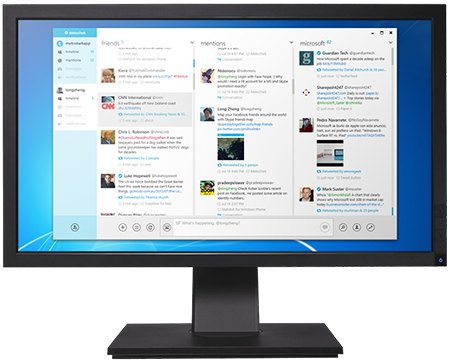
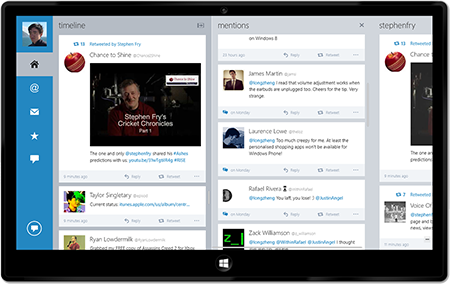
"If you like the Metro-styling..., this is the Twitter app for you. Seriously, it's one of the best looking ones out there."
Joanna Stern, The Verge
"Just installed MetroTwit Wow... this IS NICE! And feels so familiar! Great job folks!"
Joe Belfiore, Microsoft Corporate VP of Windows Phone
"Being able to 'undo' specific tweets in @metrotwitapp is just genius. #makingsoftwaresexy"
@Johntheone
"I really like @metrotwitapp. It was designed for the way I type. ;)"
@gcaughey
@metrotwitapp Been using MT since it more or less first came out, thank you for bringing such a wonderful product to market. : D
— Bradley Jolly (@DYoshii) March 6, 2014@metrotwitapp Wow so sadly :( #MetroTwit best client ever for windows. Keep going for further projects, my best wishes!
— Alberto Moreno (@inphecthyuz) March 6, 2014I will say that I am tired of @twitter forcing my favorite apps to shut down. thank you @metrotwitapp
— David Froemke (@froemke) March 6, 2014#Metrotwit is the software that can make your twitter experience the BEST
— Dr.Ninja.. (@DrNinjaa) March 6, 2014Bittersweet ending to my favorite Twitter client on Windows... Thanks for the laughs, @metrotwitapp. :D http://t.co/AFU16iKMNk
— Robert Sim (@robertsky_) March 6, 2014Just updated @metrotwitapp for the last time. If only all Windows desktop twitter apps were this good.
— Gareth Williams (@notGareth) March 6, 2014Thanks @metrotwitapp for being my app of choice. I don't look forward to replacing you. It was a good run, you're supposed to say, right?
— Kate Gregory (@gregcons) March 5, 2014.@metrotwitapp thanks for a really elegant, useful piece of software! you added a good thing to the world.
— Jeremy Stark (@jeremystark) March 5, 2014Sad to see it go, it's one of the best consumer pieces of sw using .Net that i've seen. http://t.co/nZ69VkL8GY via @metrotwitapp
— iamthemachine (@iamthemachine) March 6, 2014RIP @metrotwitapp, you were my most favourite twitter client by far. :( http://t.co/riy1MhVKIe (Any plans to publish source as postmortem?)
— Nathan Adams (@Dinnerbone) March 5, 2014Sad to hear @metrotwitapp is shutting down. Easily the most beautifully designed Twitter app to hit Windows.
— Mike Stenger (@mikestenger) March 5, 2014@metrotwitapp Very sad, it's a great app, hope it keeps working for a long time! Thanks for your efforts.
— Jonathan (@bigfatfrog67) March 5, 2014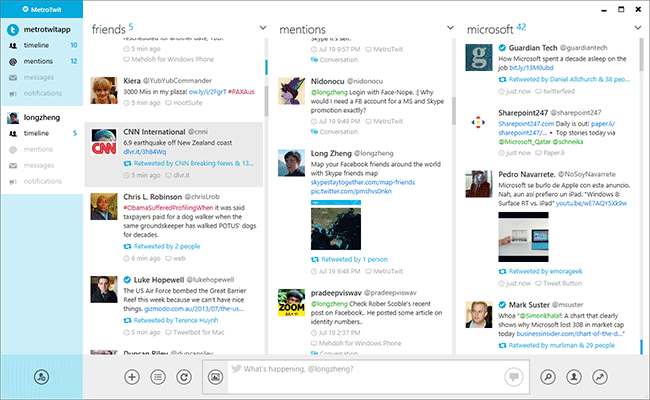
MetroTwit has been discontinued and download is no longer available
Read the announcement
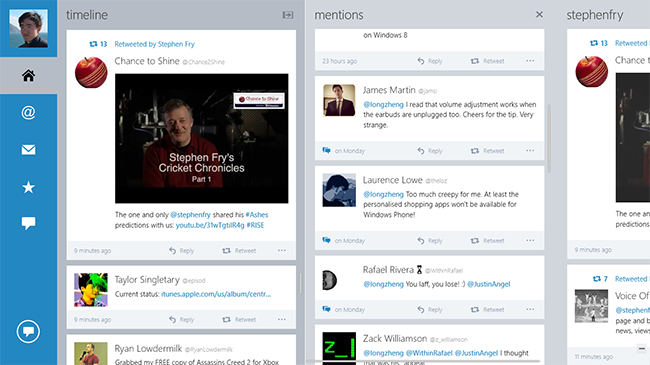
Drawing inspiration from Microsoft's Metro design language, MetroTwit celebrates an elegant and clean user interface that's beautiful to look at and a pleasure to read.
 .
.Taking advantage of the latest Microsoft .NET and Windows Presentation Foundation frameworks, MetroTwit is a first-class application that shines on Windows.
With multiple-accounts support, quickly and easily switch between different personas for work or fun - view and tweet as if you were one. (MetroTwit Plus feature)
Undo tweet is the fastest way to fix that silly spelling mistake before anyone notices. Flux capacitors included.
Even the fastest animal on the planet can't deliver a message as fast. With support for Twitter's Streaming API, you can now follow along hot topics and discussions in real-time.
MetroTwit has been discontinued and download is no longer available
Read the announcement